Composition
Build the song skeleton with melody, chords, bass, and drums.
AI Native DAW
OmniComposer is an AI-native digital audio workstation (DAW). Describe the mood and purpose of your song in words, and it generates melody, chords, bass, and drums as MIDI. Add or remove tracks and export by prompt; built-in templates are included. No instrument skills required to start composing.
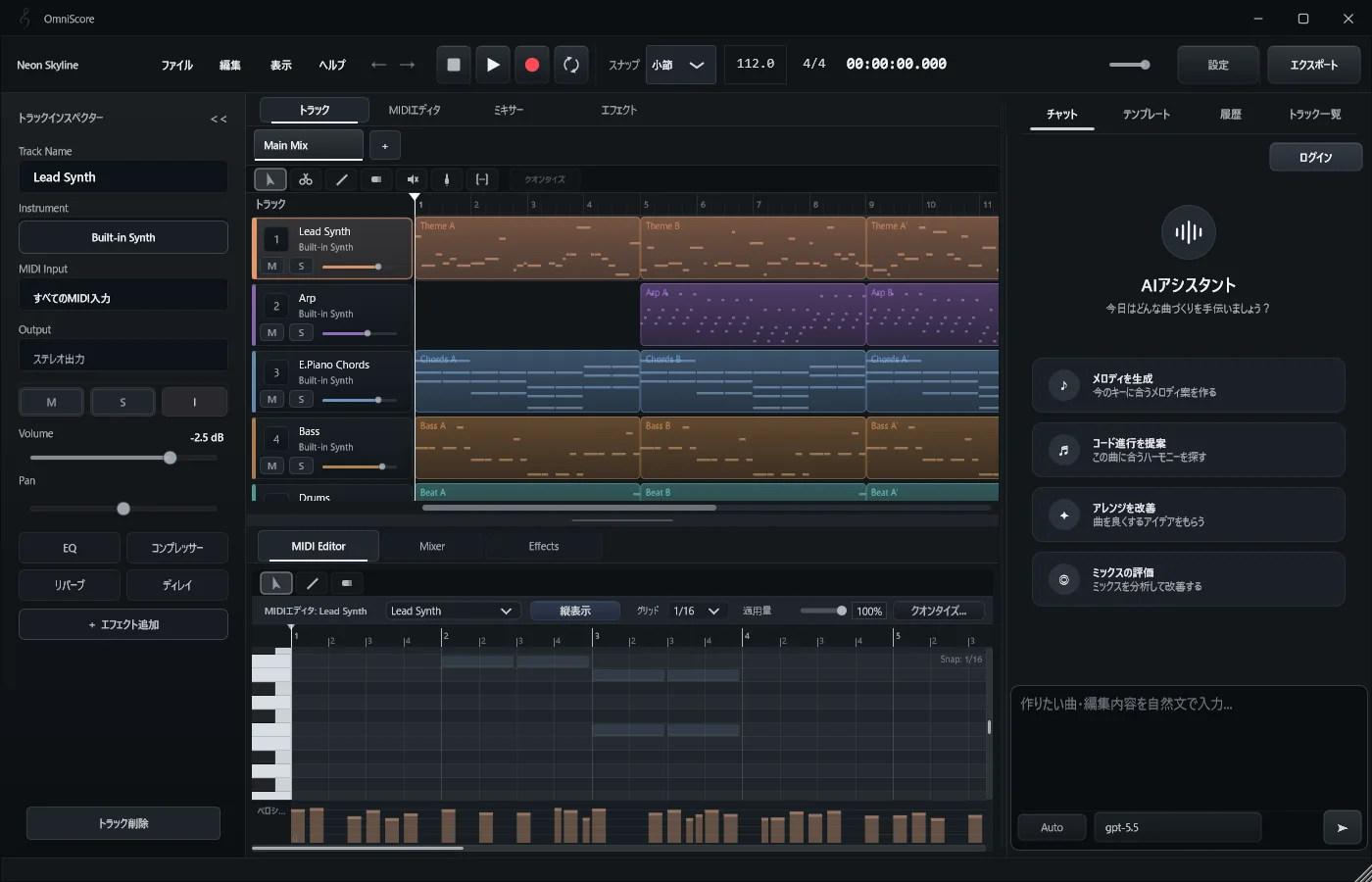
Unlike conventional AI music services that render finished audio, OmniComposer uses an LLM to compose as MIDI data. Because it does not generate audio directly, you avoid the noise and quality degradation common in AI-rendered tracks. Sound comes from the instruments you choose, and every note remains editable.
Who It Is For
You can start without composition knowledge or instrument experience. Describe your idea in words to get a draft; if you have experience, refine it further in the MIDI editor. Write only the melody yourself and let AI handle the accompaniment, or have AI continue a song you started halfway.
Build the song skeleton with melody, chords, bass, and drums.
Compare different structures, densities, and verse/chorus variations.
Connect MIDI editing, instrument choice, effects, and export.
OmniComposer is not software only for skilled instrumentalists. Even if you want to write music but cannot play an instrument, describing mood and purpose in words gives you a draft with melody, chords, bass, and drums.
You do not have to perform every note yourself from the start. AI creates the MIDI draft, and you refine it in the piano roll until it becomes your song.
Write the melody yourself and let AI build the accompaniment. Have AI continue a piece you started. Compare arrangement variations across tabs. OmniComposer supports these workflows, so it also fits the day-to-day work of practicing composers and arrangers.
What the AI generates is MIDI. You can finish chords, voicings, and phrases down to the individual note with your own ear and judgment, with VST instrument playback and MIDI/WAV export.
$13 per month. AI usage is subject to plan rate limits. Stripe shows and charges supported local currencies at checkout. After your first payment, editing, playback, and export remain available if you cancel. AI features require an active plan.
OmniComposer is an AI-native DAW for Windows and macOS. Compose, arrange, manage tracks, and export by prompt, or start from built-in templates. Output is MIDI, so you control note-level editing, VST instruments, effects, and MIDI/WAV export yourself. The DAW also keeps evolving as the underlying AI models improve.